





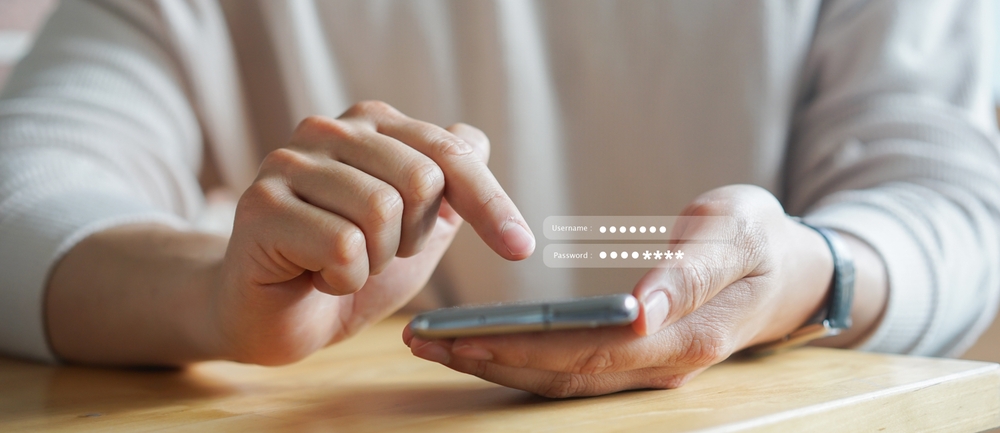
Introduction to Airbnb: Transforming Travel and Hosting
Airbnb has revolutionized the way people travel and find accommodations. With millions of users around the globe, it’s no longer just an alternative to hotels—it’s a powerful platform where travelers experience places like locals, and homeowners unlock new streams of income. For beginners looking to make the most of Airbnb, the first and arguably most critical step is creating an account. IMMO ABROAD presents this definitive step-by-step guide for setting up your Airbnb account, so you can embark on a seamless hosting or travel journey with confidence.
What is Airbnb and Why Should You Join?
Before we get into the technicalities of account creation, it’s essential to understand what Airbnb is and how its platform benefits both travelers and hosts.
The Airbnb Concept
Founded in 2008, Airbnb is a marketplace linking people seeking accommodations with hosts offering homes, apartments, or unique stays. Unlike conventional hotels, Airbnb emphasizes authenticity, local experiences, and personal connections. For guests, it means more nuanced travel; for hosts, it’s an accessible way to monetize spare space.
Key Advantages for Beginners
- Travelers: Access to unique properties, competitive pricing, and personalized local insights.
- Hosts: Potential for supplemental income, flexibility in listing, and robust protection systems.
Whether you intend to travel or earn, your journey begins with an Airbnb account.
Airbnb Account Creation: Prerequisites and Preparation
Although setting up an Airbnb account is intuitive, preparation is crucial for a smooth experience. Here’s what you need to get started:
- Email Address: Use a valid and accessible email for registration and correspondence.
- Mobile Phone: Some steps, especially verification, require SMS capabilities.
- Government-Issued ID: For security and trust on the platform.
- Payment Information: Bank account or credit card details for bookings or payouts.
Preparation streamlines the process and ensures your account is verified and ready to use right away.
Step-by-Step: Creating an Airbnb Account
Below is a comprehensive walkthrough to help you establish your Airbnb presence effortlessly. We’ll discuss both the desktop and mobile app registration processes so you can choose what suits you best.
1. Navigate to Airbnb’s Homepage or App
You can start the process either through the Airbnb website or by downloading the official Airbnb mobile app from the App Store (iOS) or Google Play Store (Android). Both methods are secure and offer similar functionality.
2. Selecting “Sign Up”
- On desktop, click on the “Sign up” button typically found in the top-right corner of the homepage.
- On mobile, locate and tap the “Sign up” option after launching the app.
This initiates the registration workflow.
3. Choose Your Method of Registration
Airbnb provides several registration options:
- Email Address: The classic approach—enter your email, then create a secure password.
- Mobile Number: Enter your mobile phone number for account setup and verification.
- Social Accounts: Use your existing Google, Apple, or Facebook account for a seamless sign-up.
4. Enter Personal Information
You’ll be prompted for details such as your legal name, birthday, and home address. This information enhances security and builds trust, as Airbnb places a premium on verified users.
- Name: Use your full, legal name to avoid verification issues.
- Date of Birth: Users must be at least 18 years old to join.
- Home Address: This is for identification and communication purposes only.
5. Account Verification
Account verification is vital for both guests and hosts. The steps may include:
- Email Verification: Open your inbox for a code or link from Airbnb and follow the instructions.
- Phone Verification: Enter the SMS code sent to your mobile number.
- ID Verification: Upload a photo of a government-issued ID (such as passport, driver’s license) and sometimes a selfie for facial matching.
Verifying your identity not only unlocks all features but also increases your chance of booking and hosting successfully.
6. Setting a Secure Password
Create a password that is at least eight characters, mixing uppercase, lowercase, numbers, and symbols. For maximum protection, avoid using easily guessable information and consider using a password manager.
7. Adding a Profile Photo and Bio
A welcoming, clear headshot and well-written bio foster trust. Use bright, recent, and friendly images. Write a short paragraph that highlights your personality, interests, and motivations for using Airbnb.
8. Agreeing to Airbnb Policies
Before finalizing your account, review and accept Airbnb’s Terms of Service, Privacy Policy, and Guest Refund Policy. These lay out your rights and responsibilities as a community member.
9. Completing Initial Account Setup
Click or tap “Create Account” or “Continue”. You’ll now land on your new Airbnb dashboard, where you can start exploring the platform’s offerings—whether booking a stay or preparing to list property.
Navigating Your Airbnb Dashboard: First Steps After Account Creation
With your account now live, the next step is to familiarize yourself with the Airbnb dashboard. This hub is the control center for all your activities on the platform.
Key Dashboard Features and Tabs
- Profile: Update your information, add payment methods, and manage your photo and bio.
- Trips: Browse, book, and manage past and upcoming reservations.
- Wishlists: Save properties that pique your interest for future bookings.
- Messages: Communicate with hosts and guests securely.
- Account Settings: Change password, adjust security preferences, and manage notifications.
- Host Mode: For those listing a property, access management tools and insights.
Customizing Your Account Settings
- Notifications: Opt for email, app, or SMS notifications for bookings and messaging updates.
- Privacy: Fine-tune what, and with whom, your information is shared.
Verifying and Securing Your Airbnb Account
Security is paramount on any digital platform, but especially true for Airbnb, where financial and personal data is involved. Here’s how to keep your new account secure:
Enabling Two-Factor Authentication (2FA)
Two-factor authentication adds a second verification layer. Activate it through your account settings; you’ll need both your password and a temporary code sent to your phone when logging in from new devices.
Managing Connected Apps and Devices
- Review which devices have access to your account and remove unfamiliar ones.
- Disconnect any third-party apps you don’t use for added protection.
Monitoring Account Activity
Regularly check your account’s recent activity for any suspicious logins. If you notice anything unusual, change your password and contact Airbnb Support.
Switching Between Guest and Host Modes
Airbnb is unique because it allows users to be both guests and hosts with a single account. Switching modes is seamless:
- Click or tap your profile photo in the top corner.
- Select “Switch to Hosting” or “Switch to Traveling” as needed.
- Each mode gives you tailored tools—property management insights as a host, or booking functionalities as a guest.
Setting Up Payment Methods: How to Add and Manage Your Financial Details
Whether booking travel or collecting rental income, entering your payment or payout information is essential.
For Travelers
- Head to Account Settings and select “Payments & Payouts.”
- Add a credit/debit card or connect a PayPal account. You may also use alternative payment methods depending on your country.
Your card details are encrypted and stored securely, appearing only when making payments.
For Hosts
- In “Payout Preferences,” add your bank or PayPal details for receiving guest payments.
- Airbnb typically releases payouts 24 hours after guest check-in.
You can manage multiple payout methods and prioritize them as desired.
Airbnb Identity Verification: Building Trust and Credibility
Airbnb promotes transparent and safe interactions through its verification protocols. Here are the elements of its robust identity verification system:
Step-by-Step Identity Verification
- Upload a Valid ID: Acceptable forms include passport, driver’s license, or national ID card. Make sure it’s clear and unexpired.
- Selfie Capture: Some users are prompted for a real-time selfie to confirm facial matching.
- Additional Information: For high-value bookings or hosting in certain regions, Airbnb may ask extra questions about your background.
Why Complete Verification?
- Unlock the ability to book instantly and host globally.
- Enhance your credibility in the eyes of other users.
- Access Airbnb’s enhanced protection policies.
Enriching Your Airbnb Profile: Keys to a Trustworthy Presence
First impressions are lasting, especially in a peer-to-peer marketplace. Your Airbnb profile acts as your digital introduction to the community. Here’s how to create an appealing, authentic profile:
Profile Photo: Choosing the Right Image
- Use a clear, up-to-date headshot in good lighting.
- Avoid obscured faces, group shots, or unsuitable backgrounds.
- Display approachability—smiles go a long way!
The “About Me” Section
- Detail your interests, travel style, profession, and what you’re hoping to offer or seek on Airbnb.
- Mention languages spoken and hobbies to connect with like-minded travelers or guests.
- Keep it concise—about 80-120 words.
Linking Social Profiles (Optional)
- Linking Facebook or Google can streamline bookings, but is not mandatory.
- It adds another layer of authenticity, but always respect your own privacy preferences.
Verification and References
- Collect references from friends or past travel contacts on Airbnb to boost appeal.
- Verify your ID and email for additional trust signals.
For Travelers: Finding and Booking Your First Airbnb Stay
With an active, appealing account, your next step (if you’re a traveler) is booking accommodations. Here’s a comprehensive guide on how to proceed:
Searching for Accommodations
- Enter your destination, travel dates, and guest count in the search bar.
- Use filters: property type, price range, amenities, accessibility options, and house rules.
- Explore maps to ensure desired proximity to landmarks or conference venues.
Analyzing Listings
- Read property descriptions carefully; look for detailed amenity lists and house rules.
- Examine photographs for cleanliness, comfort, and property layout.
- Pay special attention to guest reviews and host ratings.
Inquiring or Booking
- For Instant Book listings, click “Reserve” and enter payment details.
- For Request to Book, write a polite message to the host outlining your travel plans and expectations.
- Once accepted, follow the payment prompts to complete your reservation.
Communicating With Hosts
- Use Airbnb’s internal messaging system for all pre-check-in queries or special requests.
- Never share personal contact information outside the platform before arrival.
For Aspiring Hosts: Listing Your Space on Airbnb
If your interest in Airbnb is to generate income by hosting, your fully activated account opens the gateway to a global audience. Follow these steps to launch your first listing:
Step 1: Navigate to Host Mode
Switch to “Host” and select “Create a New Listing.” Airbnb will guide you through a multi-step process to add and promote your property.
Step 2: Describe Your Space
- Choose between entire home, private room, or shared room.
- Provide the property’s location—accuracy is key!
- State the number of guests, bedrooms, beds, and bathrooms.
Step 3: Submit Eye-Catching Photos
- Upload high-resolution images, showing each room, exterior, and amenities.
- Stage the space to maximize appeal: natural lighting, tidy arrangements, and thoughtful touches.
- Include captions describing each photo.
Step 4: Craft a Compelling Description
Your listing description is your sales pitch. Highlight unique features, nearby attractions, and what makes the stay special. Mention policies and guest requirements up front.
Step 5: Pricing and Availability
- Set nightly rates, weekly/monthly discounts, and cleaning fees.
- Decide on minimum/maximum stay lengths and set blackout dates.
- Consider using Airbnb’s Smart Pricing tool or set your own manual rates.
Step 6: House Rules and Expectations
- Set clear expectations on pets, parties, smoking, and guest conduct.
- Detail what is provided (linens, kitchen access) and what isn’t (towels, toiletries).
Step 7: Review and Publish
Double-check all details and preview your listing as guests will see it, then click “Publish.” Your property is now live and ready for bookings!
The Importance of Reviews: Building Your Reputation as a Guest or Host
Reviews are the lifeblood of the Airbnb community, influencing trust, bookings, and experiences on both sides.
Receiving and Leaving Reviews
- After a stay, both host and guest are prompted to review each other within 14 days.
- Feedback includes private comments and public ratings on cleanliness, communication, and accuracy.
- Mutually respectful, honest reviews drive quality and safety across the entire platform.
Improving Your Rating Over Time
- As a guest: Respect house rules, communicate clearly, and leave property in great condition.
- As a host: Respond promptly, provide accurate descriptions, and go the extra mile with hospitality.
Troubleshooting Common Airbnb Account Issues
Although straightforward, some users encounter hurdles when creating or managing their account. Here are common problems and professional fixes:
1. Email or Phone Verification Problems
- Check your spam folder and resend the code if necessary.
- Ensure no typos in your address or number.
- If blocked, reach out to Airbnb’s support for manual verification.
2. ID Upload Fails
- Use high-quality images and ensure good lighting.
- Try another device or browser if upload stalls.
- Confirm your ID is valid and current.
3. Account Locked or Restricted
- Check your inbox for instructions or appeals.
- Correct any flagged information, such as mismatched names or suspicious activity.
- Contact support if you’re unsure why your access is limited.
4. Payment Method Declined
- Verify your card or PayPal details are current and valid.
- Check your bank for international transaction permissions.
- Use another payment method if issues persist.
Pro Tips for Making the Most of Your Airbnb Account
Success on Airbnb—whether traveling or hosting—depends on more than just registering an account. Here’s how to maximize your experience:
For Travelers: Booking Like a Pro
- Book in advance for popular destinations or peak seasons to secure the best prices.
- Communicate with hosts before booking, especially for longer stays.
- Take advantage of Airbnb Experiences for local tours and activities.
For Hosts: Optimizing Listings and Earnings
- Update your calendar and pricing regularly to fill vacancies.
- Respond to inquiries within one hour to boost your visibility.
- Invest in small hospitality extras (snacks, guidebooks, toiletries) to earn five-star reviews.
Ensuring Privacy and Safety on Airbnb
One of Airbnb’s primary commitments is safeguarding user privacy and safety. As a member, you benefit from these protocols and can take extra steps for added peace of mind.
Airbnb’s Security Protocols
- All communications and payments are encrypted and protected.
- User profiles are verified through multi-layered ID systems.
- 24/7 customer support and global Help Center at your service.
Best Practices for Personal Security
- Never transfer money or share sensitive details outside Airbnb’s platform.
- Avoid clicking suspicious links or downloading unknown files.
- Upon check-in, verify the address and amenities match the listing.
Adapting Your Airbnb Account for International Use
Airbnb’s reach extends across nearly every country. If you plan to travel or host internationally, here’s how to optimize your account:
Multi-Currency Support
- Visit Account Settings to select your preferred currency for browsing and transactions.
- Exchange rates may apply depending on your payment or payout method.
Language Preferences
- Customize your display language through your profile.
- Add multiple languages to your listings to reach a wider audience.
International Payment and Verification
- Always use internationally accepted cards or PayPal for seamless transactions.
- Be prepared for additional ID checks for properties in certain countries.
Smartphone App vs Desktop: Choosing Your Ideal Airbnb Experience
Airbnb offers a consistent core experience across platforms, but each medium—desktop browser or smartphone app—has unique strengths.
Benefits of Mobile App
- Instant notifications on booking requests or updates.
- Easy photo uploads and calendar adjustments for hosts.
- Maps and directions for on-the-go check-ins.
Benefits of Desktop Use
- Bigger screens for comparing properties and reading reviews in detail.
- Easier to type and fill in long descriptions when creating listings.
- Access to all account settings in a single view.
Frequently Asked Questions: Airbnb Account Creation and Management
New users often have recurring questions. Here are comprehensive answers to help you confidently start your Airbnb journey:
Can I have more than one Airbnb account?
No. Airbnb’s community guidelines state that each person may only have one account. Multiple accounts may result in suspension.
How can I deactivate my account?
In “Account Settings,” select “Deactivate Account” and follow the prompts. Deactivation is reversible, but deletion (contact support for this) is permanent.
What if I forget my password?
Use the “Forgot Password?” feature on the login page; you’ll receive an email to reset your credentials securely.
How do I update my email address or phone number?
Navigate to your Profile then Account Settings. Enter your new email or phone, verify it, and save changes.
Does registering cost anything?
Creating an account is completely free. Fees apply only for bookings or service charges as a host.
Best Practices: Staying Up-To-Date and Maximizing Value
Staying ahead of changes ensures you’re making the most out of your Airbnb account.
Regularly Update Your Profile
- Refresh your bio and photos annually.
- Add new verification steps as available.
- Update your listing descriptions if you’re a host after renovations or changes.
Stay Informed About Platform Policies
- Airbnb routinely updates community standards, revenue sharing, and safety practices. Familiarize yourself with each update.
- Follow Airbnb’s official email newsletters for the latest insights and news.
Conclusion: Unlocking the Full Potential of Your Airbnb Account
By following this comprehensive, step-by-step guide from IMMO ABROAD, beginners can create an Airbnb account with confidence—ready to travel the world or host guests in their homes. The platform’s intuitive registration, robust verification, and advanced security empower you to join a global community where authenticity, trust, and opportunity await.
Remember, your account is more than a simple profile—it is your gateway to unique experiences, cultural exchanges, and a world of potential. Whether you book unforgettable stays or welcome travelers to your own space, mastering the art of the Airbnb account ensures your journey begins on the right foot—every single time.
From account setup to advanced hosting and traveling tips, return to this page anytime you need guidance. The world of Airbnb is waiting—are you ready to join?